Epochtools.app: Features, Benefits, and Comprehensive Guide

Introduction to Epochtools.app
In the fast-paced world of computing, where data flows ceaselessly and systems communicate across diverse platforms, precise timekeeping is not just a convenience but a fundamental necessity. Developers, system administrators, and even data analysts frequently encounter a peculiar, yet ubiquitous, representation of time known as Epoch time. This numerical timestamp, counting seconds since a fixed point in history, is the silent backbone of countless operations, from logging events to synchronizing distributed systems. Learn more at Unix time. Learn more at ISO 8601 date and time format. Learn more at DateTimeOffset.ToUnixTimeMilliseconds Method. Learn more at Date.prototype.getTime().
Check Out: Encrypting File System On Windows 11: A Comprehensive Guide
However, interpreting these long strings of numbers can be a daunting task for the human eye. Manually converting them to readable dates or performing calculations across time zones often leads to errors, wasted time, and significant frustration. This is precisely where Epochtools.app steps in, emerging as an indispensable online utility designed to demystify and streamline all aspects of epoch time manipulation.
Epochtools.app offers a comprehensive suite of features that transform complex time conversions and calculations into effortless operations. It addresses the critical need for an accurate, reliable, and user-friendly tool in an environment where even minor time discrepancies can have cascading effects. By providing real-time conversions, advanced calculations, and robust validation, this application empowers users to manage time-based data with unparalleled efficiency and confidence.
Table of Contents
Key Takeaways: Why Epochtools.app is Essential
Epochtools.app is more than just a converter; it’s a comprehensive solution for anyone working with time-based data. Its intuitive design and powerful features make it an invaluable asset across various technical roles. Here are the core benefits and functionalities that highlight its importance:
- Effortless Conversion: Instantly translate epoch timestamps to human-readable dates and vice versa, eliminating manual calculation errors.
- Precise Calculations: Perform complex time arithmetic, such as adding or subtracting durations, directly within the application.
- Global Time Zone Support: Seamlessly adjust and convert timestamps across different time zones, crucial for international collaboration.
- Timestamp Validation: Quickly verify the legitimacy and format of epoch timestamps, preventing data integrity issues.
- Enhanced Productivity: Streamline workflows for developers, system administrators, and data analysts, saving significant time and effort.
- User-Friendly Interface: Designed for ease of use, making advanced time operations accessible to users of all technical levels.
- Browser-Based Accessibility: Available online, requiring no installation and accessible from any device with an internet connection.
These key features underscore why epochtools.app has become a go-to resource for accurate and efficient time management in the digital age.
Understanding Epoch Time: A Foundation for Epochtools.app
Before diving deep into the capabilities of epochtools.app, it’s crucial to establish a solid understanding of what epoch time is and why it holds such significance in the computing world. This foundational knowledge will help you appreciate the utility and power of the tool even more.
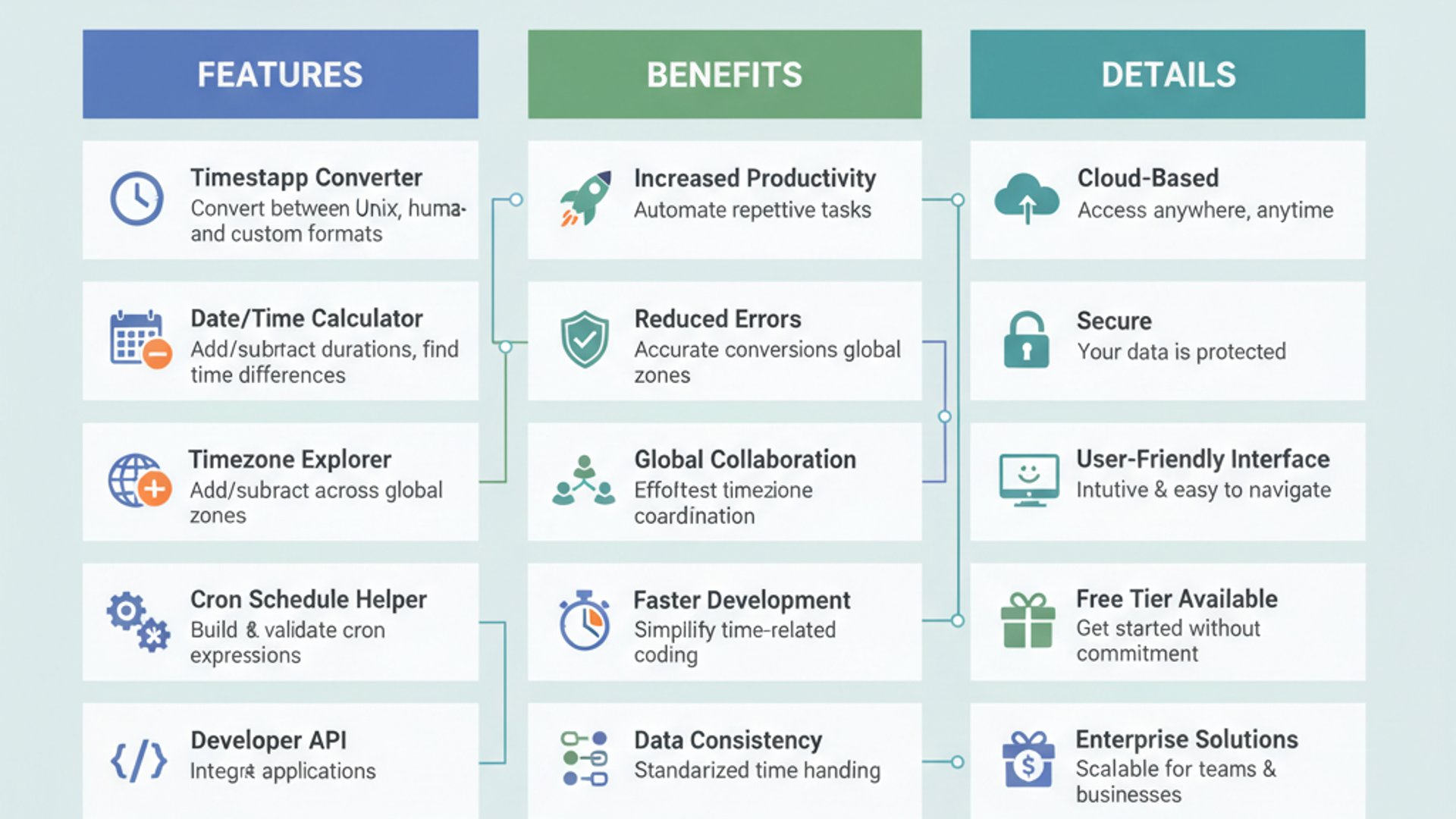
Epoch time, often referred to as Unix time or POSIX time, is a system for tracking time as a single number. It represents the number of seconds that have elapsed since a specific fixed point in time, known as the Unix Epoch. This standardized approach to timekeeping is fundamental to how computers manage and synchronize events globally.
What is Unix Epoch Time?
The Unix Epoch is defined as January 1, 1970, at 00:00:00 Coordinated Universal Time (UTC). This moment serves as the reference point from which all subsequent seconds are counted. Every second that passes since this epoch contributes to the ever-increasing epoch timestamp.
For example, an epoch timestamp of 1678886400 corresponds to a specific date and time. This numerical representation is entirely independent of time zones, making it a universal standard for time measurement in computing. It simplifies calculations and avoids the complexities introduced by varying regional time definitions.
The use of UTC as the base for the Unix Epoch is critical. It ensures that an epoch timestamp represents the same absolute moment in time, regardless of the geographic location where it was generated or interpreted. This consistency is invaluable for distributed systems and global data exchange.
The Significance of Epoch Time in Computing
Epoch time’s significance in computing cannot be overstated. Its simplicity and universality make it an ideal choice for a multitude of applications. From operating systems to databases, and from network protocols to web services, epoch timestamps are pervasive.
One primary reason for its widespread adoption is its ease of storage and manipulation. A single integer can represent any point in time, simplifying database queries, sorting, and arithmetic operations compared to complex date-time objects that include year, month, day, hour, minute, and second components, along with time zone information.
Consider log files, for instance. Every entry in a system log is typically timestamped with an epoch value. This allows for precise chronological ordering and analysis, regardless of where the log was generated. Similarly, in APIs, epoch time is often used to communicate event times between different services, ensuring seamless integration.
Moreover, epoch time inherently avoids many of the pitfalls associated with traditional date and time formats, such as leap years, daylight saving changes, and varying calendar systems. By reducing time to a linear count of seconds, it provides a robust and unambiguous method for tracking events across vast technological landscapes. This foundational understanding sets the stage for appreciating how epochtools.app leverages this standard to provide powerful and practical solutions.
Core Features of Epochtools.app: A Detailed Overview
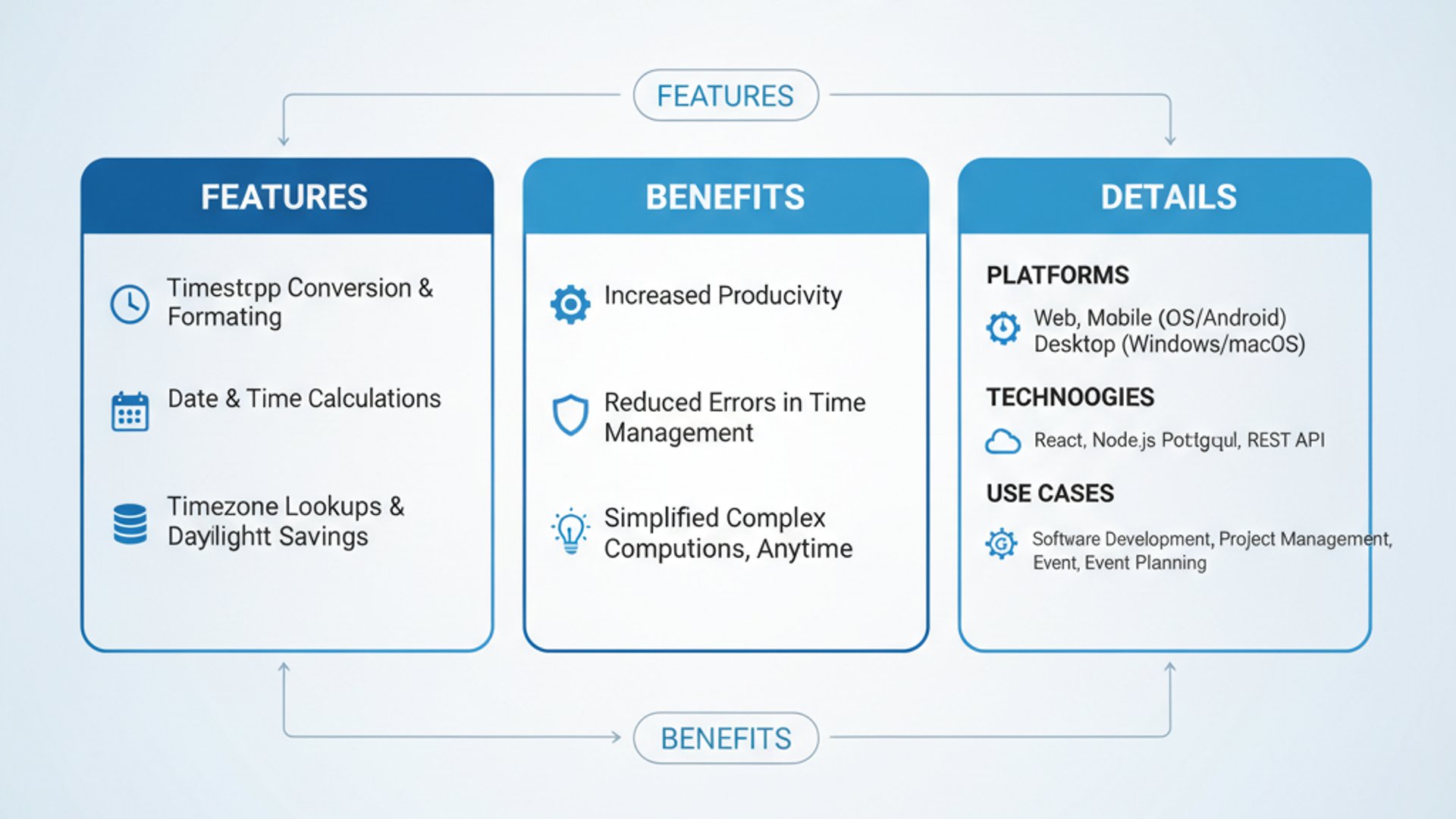
Epochtools.app distinguishes itself through a robust set of features designed to cater to a wide array of time-related tasks. Each function is crafted to be intuitive, precise, and highly efficient, making it an indispensable tool for anyone regularly interacting with timestamps. Let’s delve into the core functionalities that make epochtools.app so powerful.
Real-time Epoch Converter
At the heart of epochtools.app lies its real-time epoch conversion capability. This feature allows users to effortlessly translate between numerical epoch timestamps and human-readable date and time formats, and vice versa. The conversions happen instantly as you type, providing immediate feedback.
This real-time aspect is incredibly beneficial for quick lookups and active development. You don’t need to click a “convert” button and wait; the results are displayed dynamically, saving precious seconds and maintaining your workflow’s momentum. It supports both standard Unix epoch (seconds) and millisecond epoch timestamps.
Converting Epoch to Human-Readable Date
This is perhaps the most frequently used feature. When you encounter a long string of numbers like 1678886400 in a log file or a database, epochtools.app can instantly reveal its meaning. Simply paste or type the epoch timestamp into the designated input field.
The application immediately displays the corresponding date and time in a clear, formatted manner, typically including the year, month, day, hour, minute, second, and often the time zone. This instant translation transforms cryptic numbers into understandable information.
Practical Tip: When converting epoch to human-readable dates, pay close attention to the displayed time zone. Epochtools.app often defaults to your local time zone for convenience, but it also provides options to view the time in UTC or other specific time zones. This is crucial for accurate interpretation, especially for logs generated in different regions.
For example, entering 1678886400 might show “March 15, 2023 12:00:00 PM GMT+0000 (UTC)” or “March 15, 2023 08:00:00 AM GMT-0400 (Eastern Daylight Time)” depending on your settings.
Converting Human-Readable Date to Epoch
Equally important is the ability to convert a standard date and time back into an epoch timestamp. This is invaluable when you need to specify a particular moment in time for system configurations, API calls, or data filtering.
Users can input a date and time (e.g., “2023-03-15 12:00:00 UTC”) into the respective field. Epochtools.app then calculates and displays the corresponding epoch timestamp in real-time. This eliminates the need for manual calculations or writing small scripts for simple conversions.
The flexibility of input formats is also a key strength. Whether you type “March 15, 2023 12 PM UTC” or “2023/03/15 12:00:00Z”, the tool intelligently parses the input and provides the correct epoch value. This adaptability makes it highly user-friendly for various data entry styles.
Epoch Time Calculator and Manipulator
Beyond simple conversions, epochtools.app offers powerful capabilities for performing arithmetic operations on epoch timestamps. This feature is a game-changer for tasks that involve relative time calculations, such as determining future deadlines or analyzing event durations.
You can add or subtract specific durations (e.g., hours, days, weeks) from a given epoch timestamp. For instance, if you have an event scheduled for 1678886400 And you need to know the time exactly 24 hours later, the calculator can quickly provide the new epoch value.
This functionality is particularly useful for scheduling tasks, setting cache expiration times, or analyzing time series data where relative time differences are important. It prevents errors that often arise from manual date arithmetic, especially when crossing month or year boundaries.
Timestamp Validation and Formatting
Data integrity is paramount, and epochtools.app includes features to help ensure your timestamps are valid and correctly formatted. The tool can identify whether a given numerical string is a plausible epoch timestamp, flagging potential errors or malformed inputs.
For example, if you accidentally type an extra digit or miss one, the validator can indicate that the timestamp is out of the typical range or incorrectly structured. This proactive validation helps prevent issues downstream in your applications or analyses.
Furthermore, the application often provides options to format the output of human-readable dates. You might choose to display dates in ISO 8601 format (e.g., YYYY-MM-DDTHH:mm:ssZ), a more localized format, or a custom string. This flexibility ensures that the output meets the specific requirements of your project or system.
Time Zone Conversion Capabilities
One of the most complex aspects of time management is dealing with different time zones. Epochtools.app excels in this area, offering robust time zone conversion capabilities. Since epoch time itself is time zone-agnostic (always UTC-based), the challenge lies in displaying it correctly for local contexts.
The tool allows you to specify the source and target time zones for conversions. For instance, you can input an epoch timestamp, tell the tool it originated in “America/New_York,” and then ask it to display the equivalent time in “Europe/London.” This is crucial for coordinating global teams or analyzing data from geographically dispersed sources.
This feature simplifies the complexities of daylight saving time adjustments and varying UTC offsets. By handling these nuances automatically, epochtools.app ensures that your time zone conversions are always accurate, preventing miscommunications and scheduling conflicts across international boundaries.
Key Benefits of Using Epochtools.app
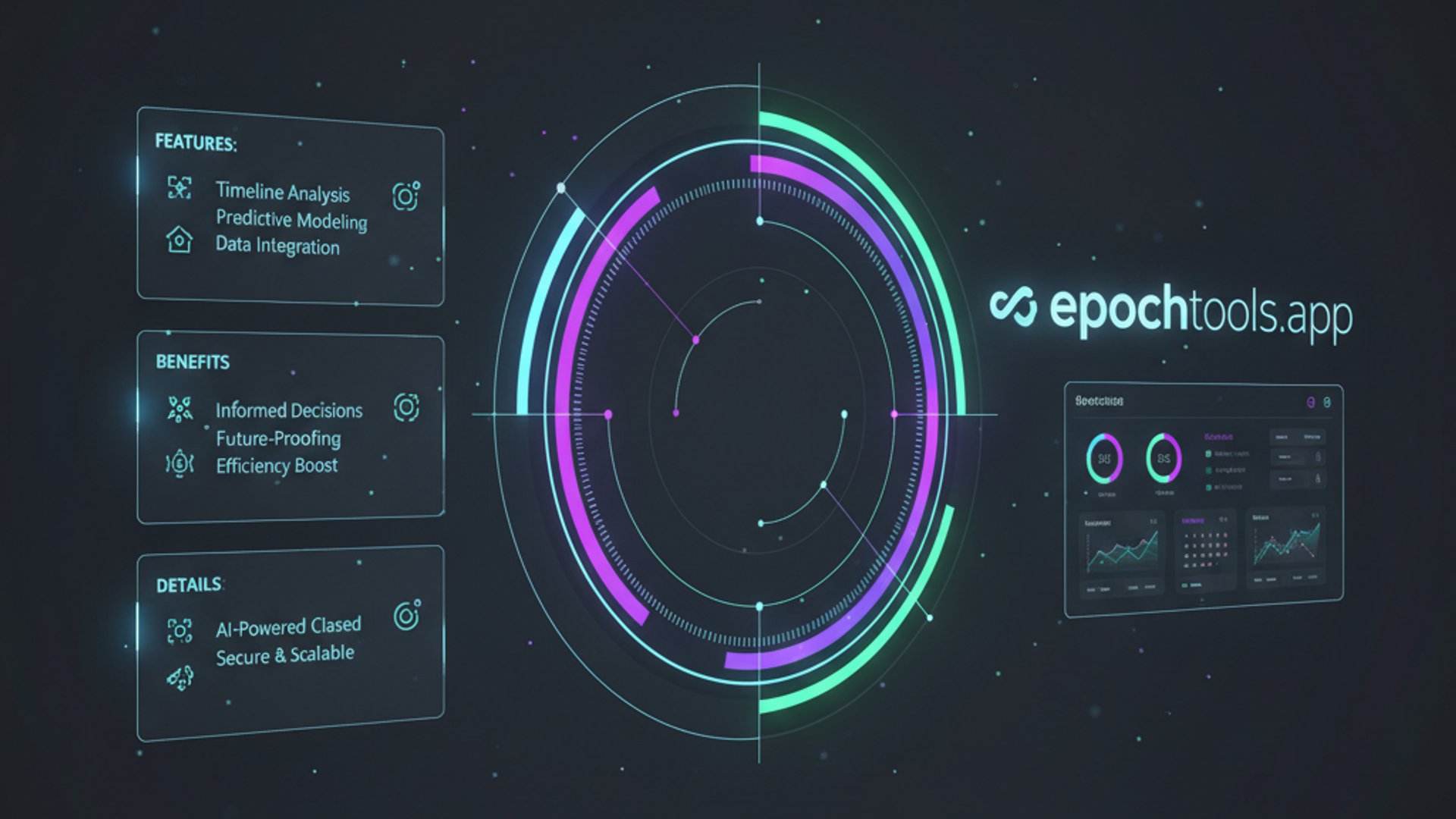
The array of features offered by epochtools.app translates into significant advantages for its users. Beyond mere functionality, the tool delivers tangible benefits that enhance productivity, ensure accuracy, and provide an overall superior user experience. Understanding these benefits helps underscore why epochtools.app is a valuable addition to any technical toolkit.
Enhanced Productivity for Developers
Developers frequently interact with epoch timestamps in various contexts: debugging logs, setting API parameters, managing database entries, and implementing time-based logic. Manually converting or calculating these timestamps can be a tedious and error-prone process that siphons valuable development time.
Epochtools.app drastically reduces this overhead. With its real-time conversion and calculation features, developers can quickly understand log entries, verify API responses, and construct precise time-based queries without context switching to write temporary scripts or perform mental arithmetic. This allows them to focus on core development tasks, accelerating debugging cycles and improving code quality.
- Faster Debugging: Instantly decode log timestamps to pinpoint event sequences.
- Efficient API Development: Easily generate correct epoch values for request parameters or parse responses.
- Reduced Errors: Minimize mistakes associated with manual time conversions and calculations.
The ability to rapidly switch between epoch and human-readable formats, coupled with time zone adjustments, means less time spent on mundane conversions and more time on innovative problem-solving.
Accuracy and Reliability in Time Management
In many computing scenarios, even a small error in time can have significant consequences, from data corruption to system failures or missed deadlines. Epochtools.app is built with precision in mind, offering a high degree of accuracy and reliability in all its operations.
By leveraging established time standards and robust algorithms, the tool ensures that conversions and calculations are consistently correct. This eliminates the guesswork and potential human errors that often plague manual time management, especially when dealing with complex time zone differences or daylight saving shifts.
Important Note: Relying on a dedicated tool like epochtools.app for time conversions significantly reduces the risk of misinterpreting critical timestamps. This reliability is paramount in fields like financial trading, scientific data analysis, and system auditing, where temporal accuracy is non-negotiable.
The validation features further contribute to reliability by helping users identify and correct malformed timestamps before they cause problems. This proactive approach to data integrity is a major benefit.
User-Friendly Interface and Accessibility
Despite its powerful capabilities, epochtools.app boasts an exceptionally clean, intuitive, and user-friendly interface. This design philosophy ensures that users of all technical levels can effectively utilize the tool without a steep learning curve.
The layout is typically straightforward, with clear input and output fields, making the conversion process transparent. Options for time zone selection or format customization are usually presented in an accessible manner, often through dropdown menus or simple toggles.
Being a web-based application, epochtools.app offers unparalleled accessibility. There’s no software to download or install, no compatibility issues to worry about. It can be accessed from any modern web browser on any operating system, be it Windows, macOS, or Linux, and even mobile devices. This “anywhere, anytime” availability makes it a convenient utility for professionals on the go or those working across different environments.
The simplicity of the interface, combined with its robust functionality, makes epochtools.app a truly accessible and efficient solution for anyone needing to work with epoch time.
How to Effectively Use Epochtools.app: Practical Scenarios
Understanding the features and benefits of epochtools.app is one thing; applying them effectively in real-world scenarios is another. This section provides practical, step-by-step guidance on how to leverage the tool for common tasks, illustrating its versatility and indispensable nature.
Debugging Log Files with Epoch Timestamps
Log files are the digital breadcrumbs of any system, providing crucial insights into application behavior, errors, and performance. However, these logs often timestamp events using epoch time, making them difficult to decipher at a glance. Epochtools.app simplifies this debugging process immensely.
- Identify the Timestamp: Locate the epoch timestamp within your log entry. It will typically be a long string of numbers (e.g.,
1678886400or1678886400123for milliseconds). - Paste into Epochtools.app: Copy the identified epoch timestamp and paste it directly into the “Epoch to Human Date” input field on epochtools.app.
- Interpret the Result: The tool will instantly display the human-readable date and time. Pay attention to the time zone displayed. If the log was generated in a different time zone than your current one, use the time zone selector to adjust for accurate interpretation.
- Analyze the Sequence: Repeat this for multiple log entries to understand the chronological order of events, helping you trace the flow of execution or identify the timing of errors.
This quick conversion capability allows developers and system administrators to rapidly diagnose issues, understand system behavior, and correlate events across different log sources, significantly speeding up the debugging process.
Coordinating Global Events and Schedules
In today’s interconnected world, coordinating meetings, webinars, or project deadlines across different time zones is a common challenge. Miscalculations can lead to missed appointments and productivity losses. Epochtools.app provides a reliable solution.
- Determine Event Time in UTC: If possible, establish the event time in Coordinated Universal Time (UTC) first. This is the most reliable base.
- Convert to Epoch: Use the “Human Date to Epoch” feature to convert your UTC event time into its epoch timestamp equivalent.
- Share the Epoch: Share this single epoch timestamp with all participants, regardless of their location.
- Local Conversion for Participants: Each participant can then use epochtools.app (or a similar tool) to convert the shared epoch timestamp into their local date and time, ensuring everyone is on the same page.
Alternatively, if you have a local time, you can input it, and then use the time zone conversion feature to see what that time translates to in various other time zones. This ensures everyone arrives at the virtual meeting at the correct local hour, preventing confusion and enhancing global team collaboration.
Data Analysis and Database Management
Data analysts and database administrators often work with datasets where timestamps are stored as epoch values. Epochtools.app can be invaluable for querying, filtering, and understanding these time-based data points.
- Filtering Data: If you need to retrieve data within a specific time range (e.g., all records from March 15, 2023), use epochtools.app to convert your start and end human-readable dates into epoch timestamps. You can then use these epoch values in your SQL queries or data filtering tools.
- Understanding Data Age: Quickly convert epoch timestamps from database fields to human dates to understand when records were created or last modified. This helps in data auditing and lifecycle management.
- Calculating Durations: Use the epoch calculator to determine the time difference between two epoch timestamps, which is useful for analyzing event durations, response times, or user session lengths.
By providing immediate and accurate conversions, epochtools.app empowers data professionals to interact more effectively with time-series data, leading to more insightful analysis and robust database operations. It’s an essential companion for optimizing data management and understanding temporal patterns.
Epochtools.app vs. Other Time Utilities: A Comparison
The digital landscape is populated with various time conversion tools, ranging from simple online converters to integrated development environment (IDE) plugins and command-line utilities. While many serve a similar basic purpose, epochtools.app stands out due to its comprehensive feature set, user-centric design, and consistent reliability. This comparison highlights its unique advantages.
Read This: Ssdp Recovery On Windows 11: Comprehensive Troubleshooting Guide
Distinguishing Features and Advantages
Many basic online epoch converters offer a single function: converting epoch to human time or vice versa. While useful, they often lack the depth and flexibility required by professionals. Epochtools.app goes beyond this fundamental capability by integrating several advanced features:
- Real-time, Dynamic Conversion: Unlike tools that require a button click, epochtools.app updates results instantly as you type, providing immediate feedback. This responsiveness significantly enhances user experience and workflow speed.
- Integrated Calculator: The ability to perform arithmetic operations (add/subtract time units) directly within the interface is a major differentiator. Most other tools require you to convert, calculate manually, and then convert back, introducing potential errors.
- Robust Time Zone Handling: While many tools acknowledge time zones, epochtools.app offers granular control, allowing users to specify input and output time zones with a comprehensive list of options. This is crucial for global operations and often lacking in simpler alternatives.
- Timestamp Validation: The subtle but powerful feature of validating whether an input is a plausible epoch timestamp helps prevent errors and ensures data integrity, a capability often absent in basic converters.
- Clean, Ad-Free Interface: Many free online tools are cluttered with advertisements, which can be distracting and slow down the user experience. Epochtools.app typically offers a streamlined, focused environment.
These combined functionalities position epochtools.app as a more complete and professional solution compared to fragmented or less feature-rich alternatives. It’s designed to be a one-stop shop for all epoch time needs.
Integration with Development Workflows
For developers and system administrators, the efficiency of a tool is often measured by how seamlessly it integrates into their existing workflow. While epochtools.app is a web-based application, its design principles make it highly compatible with typical development practices.
Instead of requiring installation or specific environment setups, it’s accessible directly through a browser tab. This means it’s always just a click away, without needing to open an IDE plugin or switch to a command-line interface. This quick access is particularly valuable when debugging or performing quick checks.
Workflow Tip: Keep epochtools.app open in a dedicated browser tab or window. Its lightweight nature means it won’t consume significant resources, and its instant availability makes it a powerful companion for tasks like reviewing logs, crafting API requests, or managing cron jobs.
Compared to command-line tools that require specific syntax knowledge or IDE plugins that might be tied to a particular development environment, epochtools.app offers universal accessibility and a graphical interface that caters to a broader audience, including those who may not be deeply technical but still need accurate time conversions.
Its ease of use and comprehensive features make it a strong contender against even specialized tools, providing a balanced blend of power and simplicity that enhances productivity across diverse technical roles. For those who also use other Windows-specific utilities, it complements tools like Clocktools.app by focusing specifically on the epoch time standard.
Advanced Tips and Tricks for Epochtools.app Users
While epochtools.app is incredibly user-friendly, a few advanced tips and tricks can help power users maximize their efficiency and unlock even more of its potential. These insights can streamline your workflow and make your interactions with epoch time even more productive.
Leveraging Keyboard Shortcuts for Speed
For those who prefer to keep their hands on the keyboard, mastering a few shortcuts can significantly speed up your interaction with epochtools.app. While specific shortcuts might vary slightly based on browser and operating system, the general principles apply.
- Tab Navigation: Use the
Tabkey to quickly move between input fields (e.g., from epoch input to human date input) and other interactive elements like time zone selectors. - Copy/Paste: Standard
Ctrl+C(Windows/Linux) orCmd+C(macOS) for copying, andCtrl+VorCmd+Vfor pasting, are your best friends. This is crucial for quickly transferring timestamps from logs or code into the app. - Enter Key: In some interfaces, pressing
Enterafter typing an input might trigger a conversion or calculation, though epochtools.app’s real-time nature often makes this unnecessary.
By minimizing mouse usage, you can maintain a faster pace, especially when dealing with multiple conversions or calculations in quick succession. This small efficiency gain adds up over time, making your work with epochtools.app even smoother.
Customizing Output Formats
Different systems and contexts often require specific date and time formats. Epochtools.app typically offers options to customize the output of human-readable dates, ensuring compatibility and clarity for your particular needs.
Look for settings or dropdown menus related to “Format” or “Display Options.” You might find choices such as:
- ISO 8601:
YYYY-MM-DDTHH:mm:ssZ(e.g.,2023-03-15T12:00:00Z) – ideal for APIs and data exchange. - Long Date:
Wednesday, March 15, 2023 12:00:00 PM UTC– for highly readable reports. - Short Date:
3/15/2023 12:00:00 PM UTC– for concise displays. - Custom Formats: Some advanced versions might allow you to define your own format string using placeholders (e.g.,
DD/MM/YYYY HH:mm).
Choosing the appropriate output format can save you time from manually reformatting dates and ensures that the information is presented in the most suitable way for its intended use, whether it’s for a database entry, a report, or a configuration file.
Security and Privacy Considerations
When using any online tool, especially one that processes potentially sensitive data like timestamps, security and privacy are paramount concerns. Epochtools.app, as a browser-based utility, operates under certain assumptions and best practices regarding your data.
Data Handling and Browser-Based Operations
Epochtools.app is designed to be a client-side application, meaning that the core conversion and calculation logic typically runs directly within your web browser. This architecture has significant implications for data handling and privacy:
- No Server-Side Processing of Input: For most operations, the epoch timestamps or dates you enter are processed locally in your browser. They are generally not sent to a remote server for conversion. This significantly enhances privacy, as your specific time data doesn’t leave your machine.
- Ephemeral Data: The data you input is usually ephemeral, existing only for the duration of your session in the browser tab. Once you close the tab or navigate away, that specific input is typically gone.
- HTTPS Encryption: Always ensure you are accessing epochtools.app via
HTTPS(indicated by a padlock icon in your browser’s address bar). This encrypts the communication between your browser and the website, protecting against eavesdropping, even if minimal data is exchanged.
Privacy Assurance: Because epochtools.app primarily performs client-side processing, it minimizes the risk of your specific timestamp data being collected, stored, or transmitted by the application’s developers. This makes it a highly secure option for handling time-related information.
While the application itself is generally secure, users should always be mindful of their overall browser security. Ensure your browser is up-to-date, and be cautious about extensions that might interfere with web page content. This vigilance, combined with the inherent client-side nature of epochtools.app, provides a robust level of security and privacy for your time-related tasks.
Future Developments and Community Contributions
The world of technology is constantly evolving, and so too are the needs of users working with time-based data. While epochtools.app is already a robust and feature-rich utility, there’s always room for growth and enhancement. The future development of such tools often hinges on user feedback, technological advancements, and community engagement.
Potential future enhancements for epochtools.app could include more advanced time series analysis features, integration with popular programming language snippets for generating epoch time, or even offline capabilities through Progressive Web App (PWA) technology. The addition of more granular customization options for date formats or the ability to save frequently used time zone configurations could also be valuable.
Community contributions play a vital role in shaping the evolution of online tools. Users who actively provide feedback, suggest new features, or report bugs help developers refine and improve the application. This collaborative approach ensures that the tool remains relevant and continues to meet the practical needs of its user base.
Engaging with the community might involve participating in forums, submitting feature requests through dedicated channels, or even contributing to open-source versions if the project allows. By fostering a dialogue between users and developers, the tool can adapt to emerging requirements and maintain its position as a leading utility for epoch time management.
Conclusion: Mastering Time with Epochtools.app
In the intricate landscape of modern computing, where time is a critical dimension for data integrity, system synchronization, and operational efficiency, understanding and manipulating epoch timestamps is an indispensable skill. Epochtools.app emerges as a powerful, intuitive, and highly reliable solution that demystifies this complex aspect of timekeeping.
From its real-time conversion capabilities and sophisticated time zone adjustments to its robust calculation features and user-friendly interface, epochtools.app provides a comprehensive toolkit for developers, system administrators, data analysts, and anyone else who regularly encounters epoch time. It transforms what could be a source of frustration and error into a seamless and efficient process, significantly boosting productivity and ensuring accuracy.
By leveraging this web-based utility, users can confidently debug logs, coordinate global teams, manage data entries, and perform complex time arithmetic with unparalleled ease. Its commitment to client-side processing also offers peace of mind regarding data privacy and security. Epochtools.app is not just another online converter; it’s an essential companion for mastering time-based data in the digital age, encouraging users to integrate it into their daily routines for more efficient and error-free operations.
Related Articles: